Studio711.com – Ben Martens

Custom MLC Sign

After making the flag shaped like the United States, I wanted to do a couple more projects with that HDPE material. Since I had some red/white/red left over, I bought a sheet of black/white/black and pulled out my vector drawing of the Martin Luther College athletics logo. It was a relatively easy job to set up except that I was trying to maximize my use of a scrap piece, and since the material is so expensive, I didn’t have any extra. Any error would scrap the whole project.

Thankfully it all came out smoothly. Gluing the two pieces together was tricky because almost nothing adheres to this, but I did find an epoxy that works pretty well. It’s not an unbreakable bond, but I think it will be ok for a sign hanging on the wall.

I have one more HDPE project planned, but you’ll have to check back later to see that. You can also follow my woodworking Instagram account @martenswoodworks. Feel free to leave angry comments about how this is not a woodworking project.

Nativity Set

Back in 2022, a teacher at Elijah’s school approached me with a special project opportunity. The old wooden cross on the school property had fallen over. She had saved a chunk of it and wondered if I could make something from it.

The piece she saved was an 8×8 that was maybe 15″ long. I finally landed on the idea of making a nativity set out of it and I based the design on a set that Mom always put up around our house while I was growing up.

I carefully sliced the wood into ~3/4″ pieces. Then I drew the whole thing on the computer first and used the CNC to cut out all the parts. (That turned out to be a good move since I ended up making more of them.) I cut it out of regular pine first to refine the design and then nervously used up the reclaimed wood to make a set. The final step (after endless hand sanding) was applying 5 colors of stain to the various pieces and gluing them together. I made a quick video of the process so the school could use it as marketing for their upcoming fundraiser/auction.

The set made from the school cross sold for over $700 at auction! Since I had another complete set made from regular pine, I finished that one as well and gave it to my parents as a Christmas gift.

Fast forward a couple years and I keep thinking about this project and how it would be nice to have our own set so I pulled out the files and cut another one. Most of the effort is in the hand sanding and the staining. I didn’t sand this one quite as much as the others partly because I’m lazy and partly because I wondered if a slightly more rustic look would look good. I think it came out well and it will be fun to have it up around our house at Christmas.

I might revisit this in the future. I think it would be fun to make a fancier version that uses five different species of wood and no stain. I’m curious if that would look good or if the quality of the wood would detract from the simple design.

Recurring Subscriptions

I distinctly remember sitting in a Computer Science class at Purdue around the turn of the century (I might as well own it, I’m getting older) where a professor was trying to convince us that the model of paying once for software was going away. He certainly was right. Everything is a subscription now, and those subscriptions can be a huge drag on your financial future. I feel like we are pretty careful about any recurring subscriptions, but let’s review them and see how we’re doing:

  • Amazon – At $139/year, this isn’t cheap, but we use it a lot. I know there are various feelings about shopping at Amazon, but I love all the extra family/hobby time it gives me because I can just have stuff show up instead of driving around in traffic trying to find some random item.
  • Monarch Money – After Mint closed, I was looking for new personal finance software and I’m happy that I landed on Monarch. It’s $100/year well-spent. It’s what I’m using to write this post because I can easily find recurring bills. If you only do one thing for your financial future, spend time every month categorizing your transactions and keep a solid understanding of where all your money is going. If you want 50% off your first year, consider using my referral link.
  • Comcast Internet – I keep costs low here by buying my own modem, getting the cheapest plan I can find, and setting an annual reminder to sign up for a new one year contract at a lower price. We currently pay $56/year for 500/30 service. That’s way more download speed than we need (I lived fine with 100Mbps until very recently) but this was the best deal when it was time to renew. Pro-tip: don’t let them upsell you on speed. You will almost never notice the difference between 100Mbps and 500Mbps. This is coming from someone who works fully remotely and has over 50+ devices on the network.
  • Xfinity Mobile – Our total household cell phone bill each month is $25. No that’s not a typo. Xfinity Mobile operates on the same network as Verizon and I can’t tell any difference from when we were paying $80/month for Verizon. That $25 includes two lines with 1GB of shared data. Yes that’s ridiculously small but since I work from home, I rarely need cell data, and, more importantly, knowing that we have almost no data available means that we do not spend any time surfing around on our phones when we’re out and about. If we need to bump up to unlimited data for a month, it’s only $65 total. If you don’t want Xfinity Mobile, there are plenty of other similar companies like Mint Mobile, Boost Mobile, Straight Talk, etc. I don’t understand how the big companies still exist.
  • Spotify – Tyla and I both listen to music for much of the day and so we have a the $15/month family plan. It’s integrated into our Tesla too so we get access to our playlists and the full library anywhere we go. And since we have the family plan, it was easy to add Elijah and keep his musical tastes out of our recommendations.
  • YouTube – We pay the $15/month to have no ads on YouTube. I’m allergic to ads. Unless there’s no other option, I’d rather not watch something than watch something with ads. This YouTube subscription is permanent. We carefully manage our other streaming TV services, but YouTube is a constant. For now we just share my account, but when Elijah is old enough to get out of his kids account, we’ll upgrade to the family plan. This does include YouTube Music which theoretically should be as good as Spotify but my attempts in the past to switch over have fizzled out. If you love YouTube Music, I’d love to learn more about why you love it.
  • Prime Video – I was very frustrated when Amazon nickel-and-dimed us by making it an extra $3/month to get rid of ads on Prime Video even with a Prime account. It still feels very cheap to me, but we’re currently playing it. This is one of the temporary subscriptions. We’ll drop it and move on to something else soon.
  • Disney+/Hulu – Again, I pay for the no-ads version at around $21/month. We’ve had this for about the last six month while Elijah and I are plowing through tons of Star Wars content. I’ve canceled our subscription though and starting in December I think we’ll switch over to Netflix for a while.
  • Trakt – This $60/year service that helps us keep track of the TV and movies that we watch. It’s especially helpful since we hop around services. When we come back to a service, I can easily see what episode we were on in each show. It’s also a good way for me to remember shows that I want to watch with just Tyla or as a family. There are a lot of different front-ends to Trakt but I just use the standard app.
  • Duolingo – I’m almost up to 1900 days on my Duolingo streak. I pay $80/year for this and I’m most of the way through the Spanish program. Once I complete it, I think I might drop Duolingo and switch to another language app that is a little less gamified.
  • Tesla Premium Connectivity – This is another splurge that costs us $100/year but it means that our Tesla has a lot of additional features such as streaming music (Spotify!), live traffic, satellite-view maps, live sentry mode cameras, and when we are parked, we can watch video streaming services (with separate subscription) like Netflix, Hulu, and YouTube.

I’m pretty quick to drop services that I don’t think are worth the money, and I know what I would drop if we needed to find a little more room in the budget. If you’re curious to learn any more about these services, I’m happy to share why we like them!

Wireless Android Auto

I’m very thankful to have Android Auto in our 2016 F150. It keeps that head unit from becoming an unusable lump of electronics over time. Or so I thought. A few years ago, I stopped using it because it would repeatedly drop connection even on a 20 minute drive. I tried better quality cables but nothing seemed to help.

When we decided to drive the truck to Yellowstone, I was trying to figure out how I could get it working again and I decided to give a wireless adapter a try. The adapter stays plugged in and then the phone connects wirelessly to the adapter. I went with the AAWireless Two and it was some of the best money I ever spent on that truck. We did our ~2500 mile road trip and it never disconnected unexpectedly even when we would get in and out of the truck dozens of times while we explored the park.

This little gizmo changed me from never bothering to use Android Auto to using it every time I get in the truck. It connects in ~5 seconds and voila, I’m good to go!

Learn About My Job

If you’re curious about what I’m thinking about at work, three recent videos will help give you a taste.

The first one is a presentation by my manager at the Open Compute Project Global Summit. He talked about how AI training data centers cause massive and rapid power fluctuations which are problematic for electrical grids and introduced the shared approach taken by Microsoft, Nvidia, and OpenAI to solve this.

The second one is Satya. He talks about the development of the Fairwater 2 data center and the path to Artificial General Intelligence (AGI). While his scope is obviously way bigger than my team’s, we are closely involved in the projects he discusses.

Satya says that this AI revolution might just be the biggest thing since the industrial revolution. It’s an amazing time to be in this industry and I’m super thankful to have a behind-the-scenes seat for it!

Mark Russinovich is the CTO of Azure. He’s one of the smartest people around and when he gives talks, it’s usually worth a listen. At the recent Ignite conference, he talked about recent Azure innovations architecture and a lot of these (especially the ones dealing with compute resources) are in my part of the company. This one is definitely the most technical of the three videos that I’ve shared here.

PC Part Prices

In 2020, I built a PC right before COVID hit and all the prices went sky high. This year I built a PC and… prices are going sky high (but thankfully no global pandemic yet.) The PC that I built in September was right around $1500 but now those same parts would cost me over $2500! I knew I was getting a great deal on the video card, but the real shocker is how much memory prices have increased. I paid $240 for two sticks of 32 GB DDR5-6000 memory. That same purchase now would cost $880! RAM prices started increasing almost immediately after my purchase and haven’t stopped.

Prices are climbing because the memory and storage market has been hit with a perfect storm. Manufacturers have cut back on consumer production while shifting more of their supply toward enterprise customers who are trying to meet the massive AI demand spike. At the same time, consumers started increasing demand for new parts.

It will be interesting to see how long it takes for this issue to get resolved, but I’m thankful to be writing this on a brand new machine that was bought literally days before the price increases started!

Canon 24-70mm First Impressions

Shortly before Elijah was born, we justified buying a nicer lens for our camera so that we could take baby photos. Buying the lens was cheaper than a session or two with a professional photographer. We’ve had that Tamron AF 28-75mm f/2.8 SP XR Di LD for over a decade and it has taken a lot of great photos, but after getting my first taste of a fancy Canon L-series lens, I could see what I was missing. So this year, we sent our Tamron lens to keh.com and applied the trade-in value towards a used Canon 24-70mm f/2.8 L II USM EF!

I once again went with the older EF mount instead of the newer/lighter RF mount, but the price delta was too much to ignore. It’s a great time to buy EF lenses with a lot of people upgraded to RF. Maybe some day we’ll trade both of these in for RF lenses, but I think this will keep us happy for a long time.

I wish I had taken a specific comparison photo with both lenses, but I expect it would be very similar to the comparison I did with the last purchase.

I can no longer blame my gear for poor photos. This body and the two L-series lenses are way above my pay grade so I have plenty of room to grow.

Golazo Release

It has been just over 10 years since I was first introduced to a team process called “Golazo”. It as developed inside the company and there wasn’t much information available on it publicly… until recently. I’ve been spending time gathering various documents and recordings about it, attempting to remove any internal jargon, and then publishing it on GitHub. Today I also made a blog post on the official Azure Compute blog.

It’s a bit difficult to get people excited about a team process, but this one has had such an enormous impact on my job trajectory and satisfaction that I’m happy to get to share it externally. I won’t go into the full sales pitch, but here are three of my favorite parts:

  • I’m limited to working on two things at once. Context switching and multi-tasking is not only proven to be inefficient, but personally it also adds a lot of mental weight. Focusing deeply on only one or two tasks at a time keeps me from feeling like I’m getting buried and also lets me do better work because I’m not having to reload all the context.
  • It’s hard to get people to write documentation, but writing down what I’m doing, how I’m doing it, and why I’m doing it does amazing things for not only helping me sort out my own thoughts but also for getting feedback from others, teaching newer team members, and keeping a written history of our decisions. We do this for every task (where a task is something that takes between 1 day and 2 weeks.) It has made the code reviews at the end much more enjoyable because we’re not having architecture arguments after someone spent a bunch of time writing code. Plus, we have a huge knowledge base of information that has just grown organically. I don’t have to waste brain space trying to remember it all because I know I can look it up at any point (and increasingly, I can ask AI questions about it.)
  • We succeed and fail as a team. Generally this is fun. Sometimes it is awkward. But forcing yourself to take shared responsibility for everything on the team improves design discussions up front and encourages more ideas about how to make improvements to avoid problems in the future.

This is by no means the most common method of working inside the company, but it’s the best one I’ve seen. There have been a few points in my career where I’ve had the unique experience of starting up a new team or working by myself for a while, and even when I’m working on my own, I still follow this process. It helps me visualize the work that needs to happen, stay focused, and keep a log of my past decisions.

While I tried to organize the GitHub docs into something consumable, I know that it can be intimidating to try to make sense of it all so please feel free to contact me directly for more information!

HDPE Flag

High-density polyethylene is that super slick plastic that is used to make things like cutting boards, milk jugs, and gas cans. It’s also a very interesting material to use on the CNC because they make it with layers of colors. So for example, you can buy a sheet of red/white/red or blue/white/blue and that’s just what I did. I got the blue in 1/4″ and the red in 1/2″. I also picked up two special bits called O-flute bits which have a single large flute and a special coating to help turn the plastic into chips instead of a big melted mess.

My first project was an attempt at making an United States flag in the shape of the continental US. All CNC projects start with a lot of computer time and to help decrease the effort required, I bought an SVG file of that from Etsy. But as I started working with it, I realized that the flag was not accurate. I use an online calculator when I make flags and I was quickly able to verify so many problems that I ended up redrawing the flag from scratch. I was still able to make use of the US outline but that required work too to decrease the detail enough that it could be cut out cleanly but not so much that it looked like too simple.

I began with the blue/white/blue sheet and nervously cut out the stars. I had looked up some feeds and speeds for cutting this material with my new bits and thankfully it worked well. I used an 1/8″ bit to remove most of the material and a 1/16″ bit to clean up the fine detail. The star below the cutout was my first test and then I left off the two inside the cutout because they wouldn’t be seen in the end anyway.

On the thicker red/white/red sheet, I pocketed out an area for the union to sit into and then also carved off the top red layer on all the white stripes.

Gluing the union onto the base flag was a challenge because nothing sticks to this, but I found some epoxy that worked. Apparently there is also some super glue that you can use if you have the right additional chemical to help it bond to HDPE.

After the epoxy had set, I nervously started the program to cut out the shape of the US.

After that it was just a little cleanup to remove the tabs of material that I left so that the piece wouldn’t fly out when it was cut all the way through.

I love the way it turned out and it’s neat to be done with a project at this point instead of having to apply finish. If I did it again, I think I would smooth out the US outline more and shift the flag image to the left so the ratio of blue to red/white looks a little better.

I’m not really in the business of selling stuff, but this is a fun project that I’d like to do more of. If you want one, let’s chat. The material cost is high, but I think I could make them for about $75 each.

Piano Thoughts

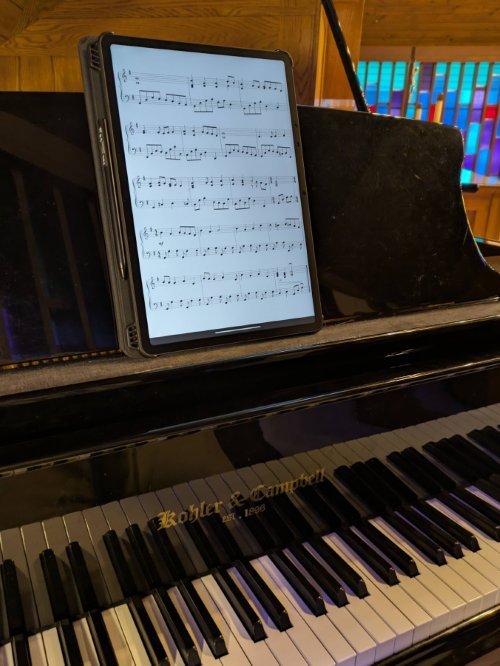
I play the piano for services at church about once a month. It’s something I’ve done off and on throughout life starting with chapel services in high school. Pretty much every time I play in a situation like that, I’m amazed at the thoughts that run through my head. And after chatting with other pianists and organists, it sounds like I’m not alone in some of them. So if you’ve ever wondered what that person playing music in front of church is thinking, here are some possibilities:

  • Oh no, what verse am I on? Am I supposed to play one more? What if I start playing the next vers but I’m wrong and nobody sings?
  • Am I playing too fast?
  • Am I playing too slowly?
  • What verse am I on?
  • Did I do enough of an introduction to this hymn for people to be ready to sing and know what they’re supposed to sing?
  • Did I play too much of an introduction and people are bored?
  • What verse am I on?
  • Remember when that one person told me ___ after the service? It was so mean.
  • Why do I only think about that one mean person and not all the other people that say nice things?
  • How did I get this far into the song without knowing what key this is written in?
  • What do other people think about when they are playing?
  • Hey, I’m playing this hymn pretty well and I haven’t even screwed… oops. Never mind.
  • What verse am I on?

In chatting about this with someone else, I learned a good tip of singing along with the hymn melody but just repeating the verse number. “One one one one one…” So then instead of wondering what verse I’m on I think “Oh man, I forgot to sing the verse numbers! What verse am I on?”