
I’ve written previously about the 2022 upgrade of our church’s AV booth, but it feels like it’s time for another update, and I also want to include a full list of all our gear in case its helpful to anyone else.
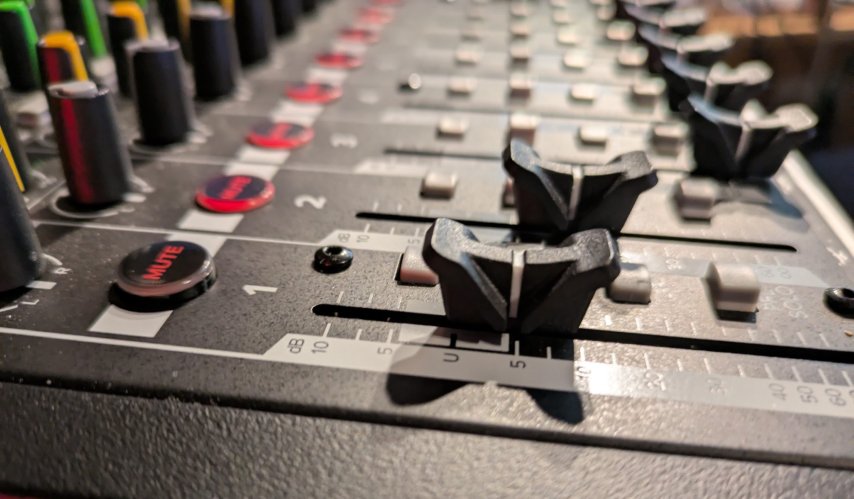
- Mackie ProFXV3 16 audio mixer
- We basically got this model because I counted all our possible inputs and then wanted a little headroom. We don’t really use any of the extra functionality over the smaller versions.
- Two PTZ Optics Move SE 12x cameras
- I LOVE these! It’s hard to stomach the price initially but it’s definitely a “buy once cry once” situation. More details: PTZ Optics Move SE Review – Studio711.com – Ben Martens.
- Blackmagic ATEM Mini Pro video switcher
- This has dramatically simplified our video situation. It takes care of various resolutions and framerates, records to a USB key (or connects to the computer), and allows me to perfectly syn the audio input with the video input.
- I also enjoy having this be its own device. Some day we’ll probably move to something like OBS running on the PC, but for now, it’s really nice to have a device that “just works” without worrying about any updates or configurations.
- This device also supports streaming directly to YouTube or Facebook but we haven’t started that yet.
- Shure microphone setup
- Pastor:
- Shure BLX24R/SM58 Wireless System with Rackmountable Receiver and SM58 Microphone Capsule Band H10
- We usually have this by the piano. We aren’t often recording/posting piano stuff but it helps us amplify the piano volume during the services to make sure people can hear it while they are singing.
- Mackie C200 speakers
- QSC GX3 300-Watt amplifier
- I would not buy this again. There’s nothing wrong with the product, but it’s extremely overpowered for our space. We usually leave it on volume 2/10 and I’m pretty sure that if I turned it up much past 7 I could damage the building. We were coming from an extremely underpowered system so I guess I overshot the goal.
So our whole setup is PC independent. Once the service is done, we take the thumb drive out of the video switcher, plug it into the PC, and upload to YouTube.
We also updated our internet service from DSL to business cable and now our service is reliably at least 200Mbps symmetric. Uploading is usually done before we can finish entering the metadata!
We have a TV in front of church that is mostly used to show quick videos after church but is rarely also used during a sermon. We can control that from the balcony using an HDMI over Ethernet extender. This adds about 200 ms of video lag but we take care of this by using VLC for playback and adjusting the synchronization in the VLC settings. The TV in front of church is set up as a second monitor on the balcony PC so we can prep content privately and then drag it over to the TV in front of church. Via an HDMI splitter, that front TV feed also gets sent to an input on the video switcher. This lets us show the sermon PowerPoints directly in the video recording with perfect quality.
We have a great crew that is trained to operate this booth. Our sweet spot is around 4-6 volunteers. That is big enough that we don’t feel like we’re doing it too often, but we also do it often enough to remember how it works.
If you’re curious to see what it all looks like, check out CalvaryLutheranWA – YouTube. I edit the shorts after the fact, but pretty much everything else posted on that channel comes straight out of the AV booth with no post processing.
If someone gave us a bunch of money to upgrade this, I could easily spend it, but unless we get asked to start live streaming the whole service or something like that, I think we’re in a pretty good spot with our setup … for now.