We have a bunch of boxes for the various sizes of plastic bags, ceran wrap, aluminum foil etc. They used to reside in a drawer but that drawer got taken over with safe toys for Elijah so he has something to pull out and mess around with. That moved all of our boxes to the top shelf in the pantry and it was difficult to find the one you wanted. We also ended up buying more when we already had some that were just too hard to find.
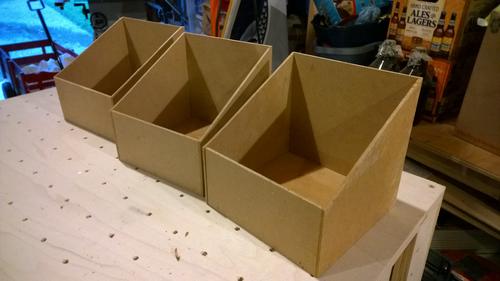
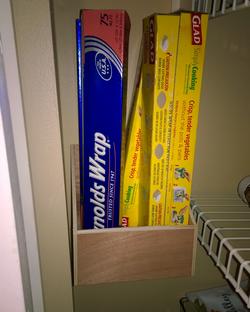
Tyla flipped around on Pinterest a bit and quickly found some ideas to solve this problem. I looked at the ideas and said “I could build that.” So then I kind of had to back it up. Luckily it’s a super simple project. Basically I just built what look like magazine boxes (open, sloped top) and screwed them to the wall.
While it’s a simple project, it’s incredibly convenient. I made six of them to hold the various types of bags and wraps. They work great! Some day I might paint them white but more likely they’ll probably just remain as-is.
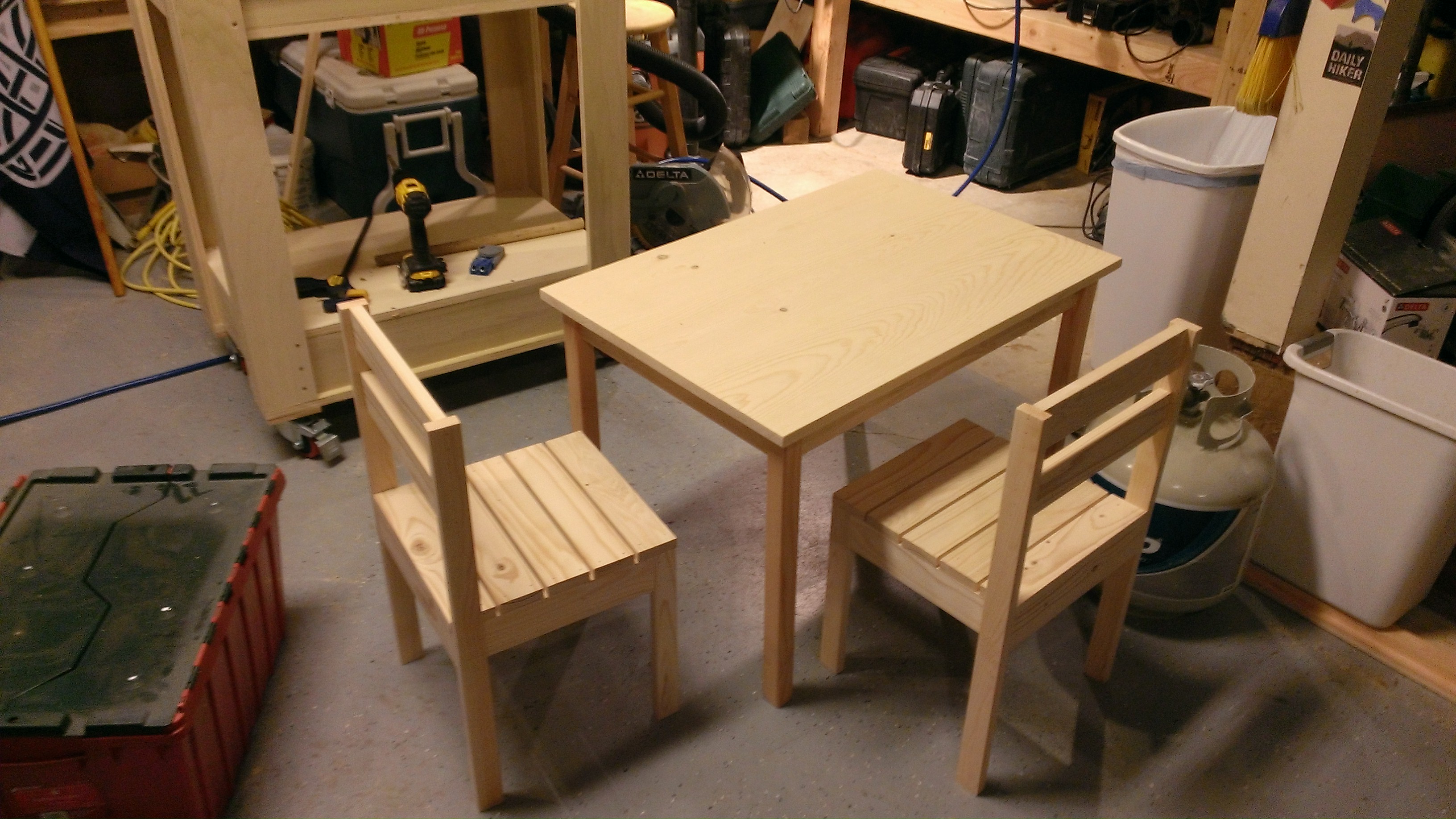
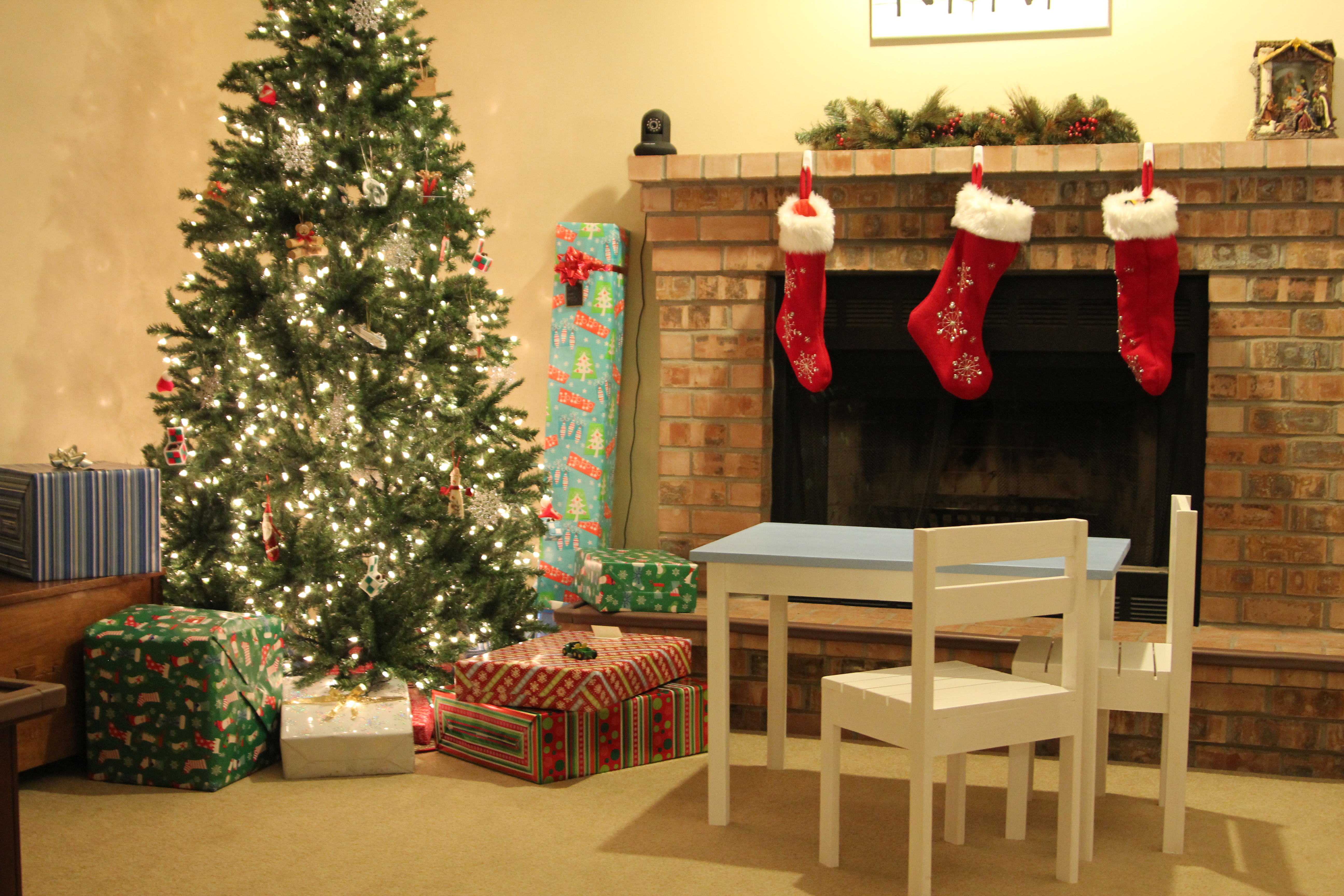
For Elijah’s Christmas gift, I decided to build him a table and a couple chairs. The actual construction was pretty straightforward. I headed to one of my favorite woodworking sites: Ana White’s site. From there I pulled up the “Clara Table” and the “Four Dollar Stackable Chairs“. The total cost of the pine for two chairs and the table was less than $30. Hard to beat! I had them built pretty quickly.
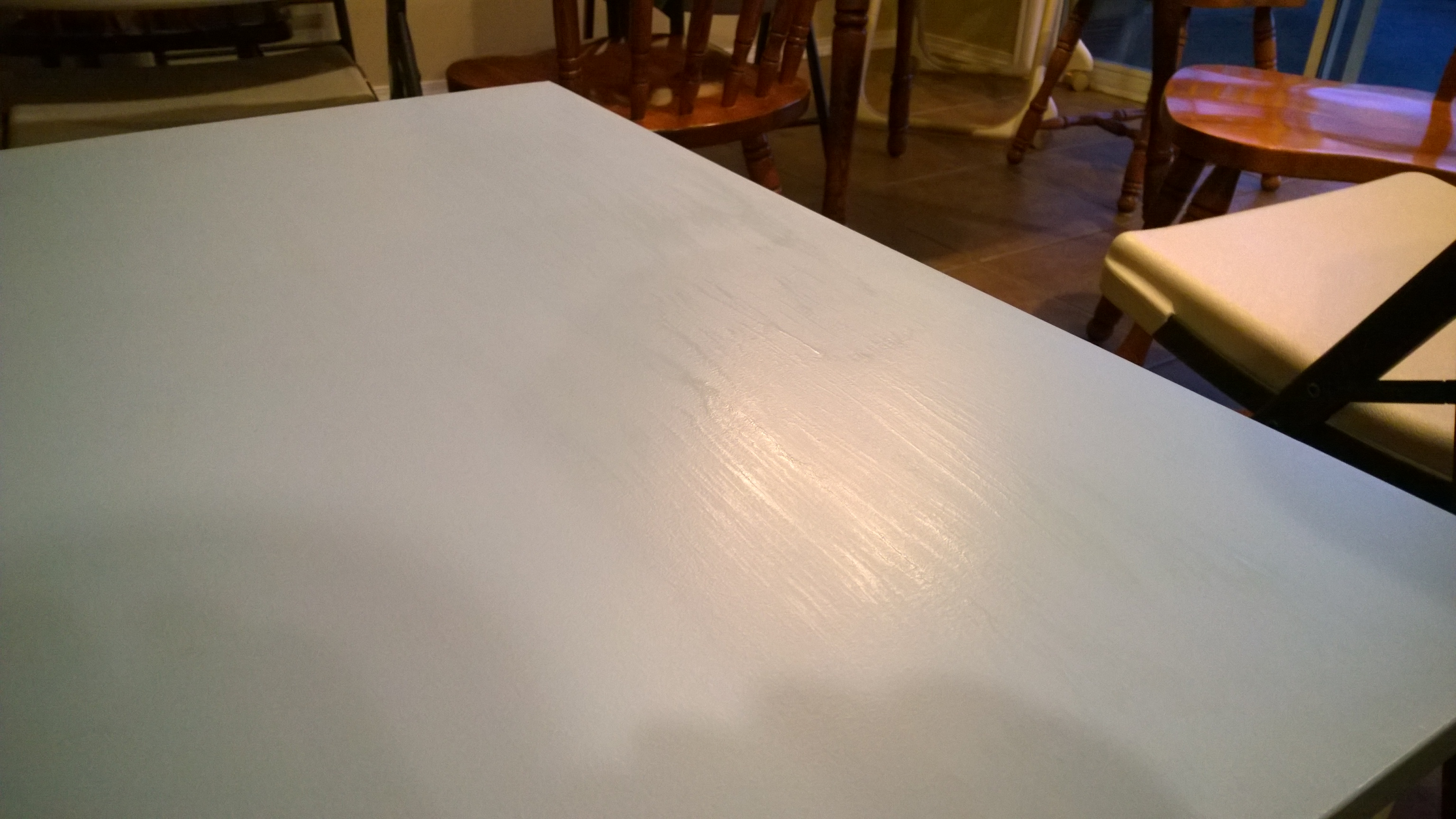
The problem came when I tried to finish them. We decided to paint them with leftover white and blue paint that we had tine the garage. The painting was fine but I wanted to put a hard finish on them since he’ll be abusing them and eating off the table. I have always turned to polyurethane tin the past, but it failed me miserably on the table top. There were huge blemishes in the finish.Thankfully the table top is built out of solid pine boards so I was able to sand it down without worrying about damaging something like plywood. And sand it I did. I sanded it down FIVE TIMES. It took a couple weeks as I experimented with different finishes. (Special thanks to John F for giving me some tips.) I tried a bunch of different things but everything dried tacky or had terrible brush marks. I ended up with a coat of shellac to cover the latex paint and then four coats of spray lacquer. That has been holding up pretty well but for some reason, some of his wooden toys do feel like they stick a bit to the surface if they are left there for a couple days. I don’t understand what causes it. This project took way more time than I thought it would, but I learned a lot (spray lacquer rocks!) and I smile every time I see Elijah use his table. Totally worth it.
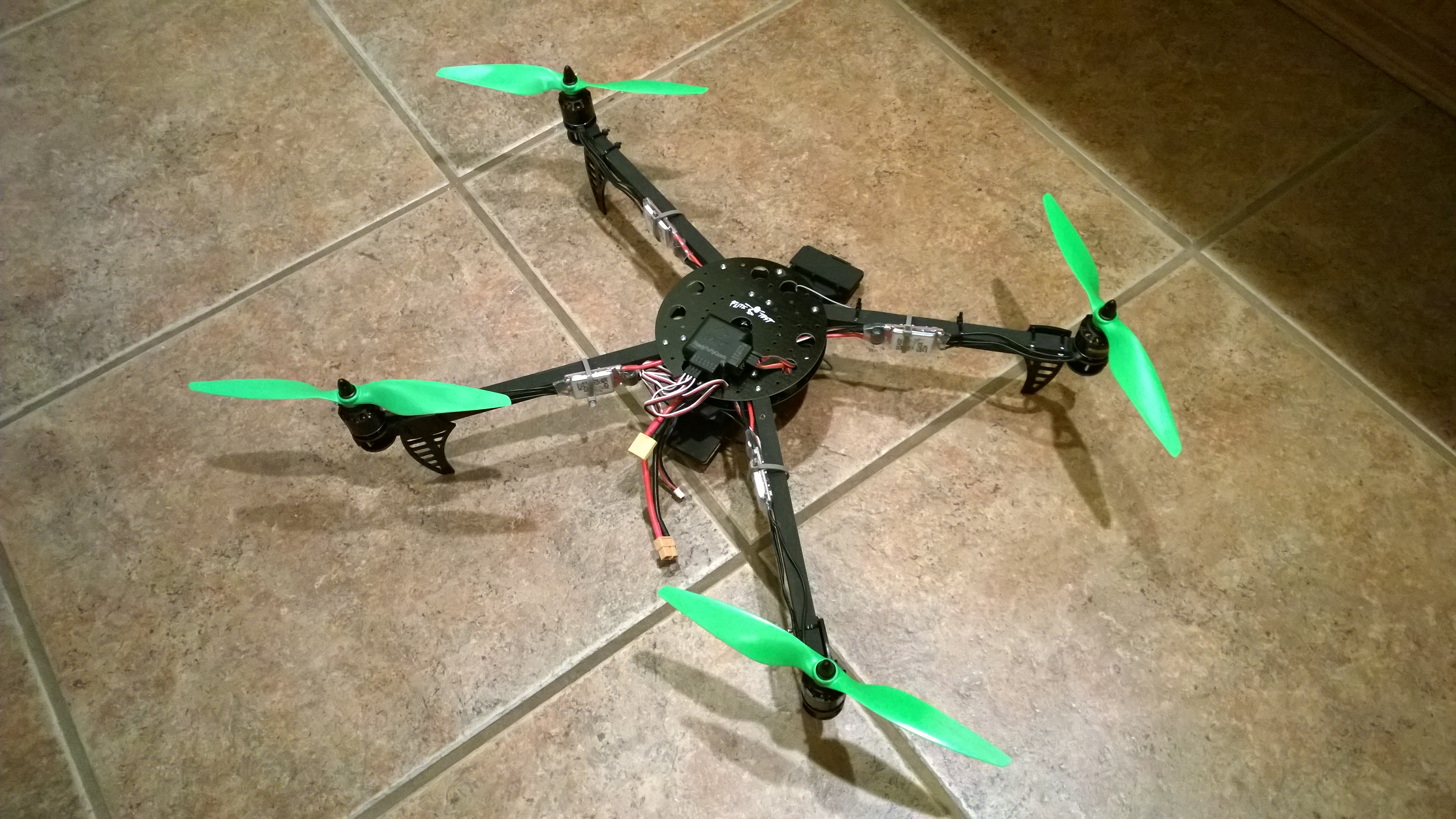
My new Flite Test spider quad was all put together and the first flight was a success. So what do you do on the second and third flights? Strap a GoPro to it! I specifically built it in this style with the front arms spread wide so that the video image wouldn’t have any obstructions. Might as well see how it works.
It works fantastically! There is no fancy camera stabilization system on this. The camera hangs from some bent wire that absorbs some vibrations. That, combined with time spent balancing each propeller, produces some pretty clean video. It’s significantly better than I expected and will be more than fine for the type of projects I have in mind for it.
What you see below is from the second time out. It turns out that my house DOES have a view of Rainier. You just need to get a few hundred feet up in the air to see it. Enjoy!
P.S. So why am I calling this a “quadcopter” or “multicopter” instead of a “drone”? I’m not a big fan of the word drone because it feels like the media has given it a negative connotation. Plus, I believe that a drone is something that is capable of autonomous flight. Granted, this quad that I’ve built could be autonomous with about $50 worth of electronics but it’s not a drone yet.
Our two year contract with Verizon was up at the beginning of December so it was once again time for the big decision of whether or not I stay with Verizon. I’ve been their customer since 2000 so obviously I’m ok with them for the most part, but as far as Windows Phone support goes, they are horrible. For example, if you go into a store right now and try to buy a phone, they sell two ancient (2+ years old) models. The only other option is the newer HTC One. On top of that, they are extremely slow with doing updates for the phones. Our old phones still don’t have the major Windows Phone 8.1 update which was released last summer. It’s to the point where I pretty much don’t expect updates to my phone via Verizon. They hate Windows Phone.
So I thought the only option we really had was the HTC One. Logan has that and likes it, but it was a no go for us because it doesn’t have a dedicated camera button. To launch the camera, you have to unlock the phone, start an app and then take a picture. With a young kid in the house, these devices get used as a camera more than they do as a communication device.
I started looking around at other carriers. AT&T has a much better relationship with Windows Phone. At least they pump out updates on a reasonable basis. The problem there is that they have no coverage in my building at work or at Tim and Chelsea’s house. Fail.
T-Mobile? I’m actually willing to give them a shot because I can bring my own phone and do whatever I want, but I wasn’t crazy about losing the network coverage that Verizon provides.
That’s about when I discovered that Verizon did actually sell one of the flagship Windows Phones earlier in the year. The Lumia Icon was for sale for about six months until they inexplicably pulled it off the market with no explanation. However, many physical stores still have them in stock. It’s a fantastic phone (similar hardware to the HTC One), but it seems very unlikely that it will ever get an update. But even with that major caveat, we went for it.
I have to say that I love the device. It’s a huge speed boost over our HTC 8x’s and the 1080p screen is beautiful. The battery easily makes it through a day. It also, like our 8x’s, has wireless charging and we finally bought some wireless charging pads. I haven’t found a way to make them super reliable yet though. They don’t always hold a connection to keep the charge flowing. Hopefully I’ll have an update on that in the future.
As for the lack of updates? This phone still comes with Windows Phone 8 which means no Cortana. However, you can update it yourself (and probably void your warranty), if you are a developer. I took that plunge and have had pretty good results on my phone. Tyla’s phone is still running as-is from Verizon but I’m close to giving her the update too. I don’t love running my phone on a non-supported firmware, but seriously Verizon, UPDATE OUR PHONES.
They make me so mad but when the time came to actually pull the trigger and leave, I couldn’t do it. They have incredible coverage and in the end, I guess that trumps every other bad thing about them… for now.
Right at the beginning of last year, I started wearing a Fitbit One. I wore it almost every single day for an entire year. There were maybe 5 days in the year when I forgot to wear it so I have a pretty good data set to work with. Let’s take a look…
My average number of steps in a day was 7066. That puts me on the high end of the American average (5900-6900/day), but still somewhere right on the border of “low active” and “somewhat active” on the charts. It’s pretty clear that I could stand to take some more walks since I have a desk job.
I took the most steps in June which makes sense because I was spending gobs of time in the yard working on that project. I averaged over 10,000 steps/day during June. While it peaked in the summer, I’ve kept it up better in the fall and winter. I think this is because Elijah is walking now. He and I take a lot of walks around the neighborhood to get some exercise and point at every single plane that flies overhead.
My three biggest days were all yardwork days.
The day we moved dirt into the back yard: 24,157
The day we put sod into the front yard: 23,310
The day we demolished the back yard: 21,313
Our day at the Indy 500 was #4 on the list with 18,559 steps. That place is HUGE.
In one year I walked over 2.5 million steps.
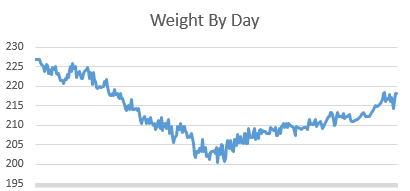
I also used the Fitbit app on my phone to record my weight pretty regularly. Seeing that chart was a big factor in losing 25 pounds in the first half of the year. Unfortunately (and unsurprisingly), the chart doesn’t look as good for the second half of the year. I gained a little over half of that back.
I’m done wearing the Fitbit, at least for daily use. I might still carry it on hikes or days when I know I’ll be really active, but otherwise I’ve gotten a pretty good feeling for what a good day of walking feels like.
The really concerning thing to me is the weight I’ve regained. Tyla and I ordered a Fitbit Aria scale that connects to our Wi-Fi network. It will automatically record our weight every day. We both did this somewhat manually before so the automation will be nice. I’m also shooting to get back under 210 and stay there.
A little over a year ago, I started off in the RC hobby with the intent on flying a quadcopter carrying a camera. I quickly learned that this is a difficult place to start so I fired up a flight simulator, built some extremely cheap foam board airplanes and then flew some nicer airplanes (Bixler 2 and UMX F4 Corsair.) I also picked up a Nano QX quadcopter to fly around the house and learn a bit about flying quads. I’m not a pro by any means, but I learned a LOT about RC flight and about the electronics that are part of the hobby.
I decided to take the plunge and get a real quad. There are lots of options out there. The most popular ones you see in the stores and in the news are things like the DJI Phantom, but they are pricey. For example, the Phantoms start around $500 and go over $1000. And you know what happens when you crash? You shell out more money for the custom replacement parts. No thanks.
Instead, I bought a kit from Flite Test for their ElectroHub and also bought the accompanying electronics kit from Ready To Fly Quads. The whole thing, including tax, was under $230 and that includes some spare parts that I know I will break (props, landing gear, etc.) Building it from scratch takes a bit more work, but now I understand every piece of the puzzle and when something breaks, I can fix it with off the shelf parts that are cheap and easily available. FliteTest has a full build video showing all the steps.
The FliteTest guys say it takes them a couple hours to put one together. It probably took me 5-6 because I was learning a lot and going very slowly and I also spread that out over a few days. Basically the steps are to assemble the arms, solder the wires for the speed controller to the motors, solder the speed controllers to the power distribution board, wire up the computer board and the receiver, triple check everything and then give it a shot.
My first flight attempt was out on the back patio near dusk. I just wanted to lift off the ground and then land it to prove that everything was connected correctly. Unfortunately, it didn’t even get a foot off the ground before it flipped over and crashed. D’oh! Thankfully nothing was damaged but I did lose the spinner that holds the prop on.
That ended up being the key to diagnosing the crash (with the help of some friendly community members on the FliteTest forums.) The best guess is that the prop fell off when I took off because it wasn’t on tight enough and that, of course, caused the computer to freak out and flip over. I pulled a 5mm nut off my workbench, reattached the prop and I was ready to fly again!
By this time it was dark so I pulled the cars out of the garage and tried again. It worked! I hovered for about five minutes and landed safely multiple times in that period. A video of that is included at the end of the post.
Next steps are to wire up some LED lights (to help with orientation and to look cool), get the nerve to load a GoPro onto the camera tray, and also see if the board has any other cool features like auto hover, altitude hold, etc. The board is a modified Arduino and the sketch files are provided so you could theoretically do whatever you want. I’ll leave that to the pros though and just buy the finished product.
This was a huge victory for me though. Now I need to work on my piloting skills and be able to fly this safely. One big advantage of the quad is that I can work on this in the back yard, the cul-de-sac, or even in the garage! I don’t have to drive anywhere to learn more of the basic skills.
By the way, you might have noticed that this isn’t a perfect X configuration. That’s why this is called a “spider” configuration (or a “dead cat.”) The front arms get spread out a bit farther so that you can get a good field of view from your camera on the front.
It’s awesome that you can learn a seemingly complicated hobby like this using only YouTube and forums. Thank you to all the friendly people at FliteTest!
Here’s one more post for our fantasy season looking back at the top performers in our league. Look how many time’s Austin’s name shows up on this list! Our championships are usually dominated by power QBs but this year, he had a team full of top wide receivers, running backs, tight ends and defenses.
Once again I had the top scoring player in the league, but this year it wasn’t Drew Brees. Unfortunately, Andrew Luck failed me in our playoffs. I blame the beard.
Top QBs:
1. Andrew Luck, 431.74 for Ben
2. Aaron Rodgers, 430.14 for Tim
3. Peyton Manning, 390.68 for Andy
Top WRs:
1. Antonio Brown, 333.51 for Tim
2. Demaryius Thomas, 285.40 for Austin
3. Jordy Nelson, 278.90 for Austin
Top RBs:
1. Le’Veon Bell, 329.00 for Austin
2. DeMarco Murray, 322.60 for Luke
3. Matt Forte, 295.60 for Jim
Top TEs:
1. Rob Gronkowski, 225.40 for Austin
2. Antonio Gates, 188.60 for Luke
3. Jimmy Graham, 187.40 for Logan
Top Kickers:
1. Stephan Gostkowski, 170.00 for Logan
2. Cody Parkey, 162.00 for Dad
3. Adam Vinatieri, 153.00 for Jim
Top Defenses:
1. Philadelphia, 229.14 for Ben
2. Buffalo, 207.11 for Austin
3. St. Louis, 198.17 for Ben
Tyla and I get most of our Kindle books from our libraries awesome digital section, but every once in a while, there are some specific books that we end up buying. We each have our own Kindles tied to our own accounts, so sometimes that has meant buying a book twice and that’s annoying.
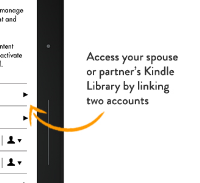
To address this exact situation, Amazon has launched the Kindle Family Library. You can now specify one other adult as your partner and you can see all of each other’s books!
It can be a tad bit tricky to set up and manage if you have older devices but the newer ones handle it beautifully. Amazon has a help page that describes what each version of the Kindle is capable of in regards to this feature.
We don’t use this often, but when we do, I love it!
This new website is hopefully pretty easy to get around, but there are a few things that I’d like to point out:
Reading on a mobile device? The website is now much more mobile friendly! Just go to studio711.com and you should be able to read everything.
If you’re already subscribed via RSS, it SHOULD still work.
For the handful of people using the Pocket Ben app on Windows Phone, that may or may not continue to work. I’m not supporting it anymore.
You can find my various social media accounts by clicking the little icons in the very top right.
Search now works fantastically well! Check it out in the sidebar on the right.
Comments will get posted much quicker. Once I approve a comment from you once, future comments should be automatically approved.
For some of the photos in the posts, specifically the bigger ones that span the whole width of the post, you’ll be able to click on them and get a bigger view.
No, I’m not retiring from my job, at least not from the one I get paid for. For the past six years, I’ve been the “property deacon” at church. Basically it’s like a property manager. I’m responsible for the physical property (grounds, buildings, etc.) I’ve enjoyed the volunteer position, at least most of the time. The last six years have seen some major projects including a huge renovation of the parsonage, a new fire alarm system, a new church sign, an irrigation system and many other projects. More recently, I’ve felt like I’m unable to devote the amount of attention to the job that it deserves so I’ve decided to step down and not sign up for another term. Due to some reshuffling of the bylaws, there will be a few people taking over the property work. I think that’s going to work out better. TimS is one of the guys doing the job so I have no doubt that he’ll rely on me as much as I relied on him (which was a lot!) I’ll still be involved, but honestly, I’m looking forward to not being the guy in charge.

 My new Flite Test
  Our two year contract with Verizon was up at the beginning of December so it was once again time for the big decision of whether or not I stay with Verizon. I’ve been their customer since 2000 so obviously I’m ok with them for the most part, but as far as Windows Phone support goes, they are horrible. For example, if you go into a store right now and try to buy a phone, they sell two ancient (2+ years old) models. The only other option is the newer HTC One. On top of that, they are extremely slow with doing updates for the phones. Our old phones still don’t have the major Windows Phone 8.1 update which was released last summer. It’s to the point where I pretty much don’t expect updates to my phone via Verizon. They hate Windows Phone.
 I’m done wearing the Fitbit, at least for daily use. I might still carry it on hikes or days when I know I’ll be really active, but otherwise I’ve gotten a pretty good feeling for what a good day of walking feels like.
 Here’s one more post for our fantasy season looking back at the top performers in our league. Look how many time’s Austin’s name shows up on this list! Our championships are usually dominated by power QBs but this year, he had a team full of top wide receivers, running backs, tight ends and defenses.
 Tyla and I get most of our Kindle books from our libraries awesome digital section, but every once in a while, there are some specific books that we end up buying. We each have our own Kindles tied to our own accounts, so sometimes that has meant buying a book twice and that’s annoying.
 This new website is hopefully pretty easy to get around, but there are a few things that I’d like to point out:
Retiring