
 And there you have it, the final week of the regular season is in the books. As predicted last week, Logan secured the final spot in the playoffs. Here are the playoff seeds:
- Andy
- Ben
- Logan
- Dad
- Luke
- Tim
- Austin
- Jim
Spots 1-4 will play for the championship while 5-8 square off in the consolation bracket. Good luck everyone!
Now on to the weekly awards:
- Highest Team Score: Ben had 151.20 (Record, Week 4: Tim had 195.50)
- Lowest Team Score: Tim had 88.43 (Record, Week 6: Jim had had 72.17)
- Biggest Blowout: I beat Tim by 62.77 (Record, Week 3: Dad beat Andy by 63.83)
- Closest Win: Andy beat Luke by 13.9 (Record, Week 1: Logan beat Tim by 0.89)
- Highest Scoring Player: Josh McCown had 47.52 for Austin. (Record, Week1: Peyton Manning had 60.28 for Andy.)
- Mr. Consistency: Jim has lost 6 in a row.
Stats mostly via TMQ (but not this week as there doesn’t seem to be an article available):
- Austin and I are the only ones playing the League Pick’em on Yahoo and we both perfectly predicted last week’s four games in our league.
- Logan has beaten his projected points three weeks in a row.
- This was the 5th time this season that Tim had the lowest score.
- Austin snapped a four game losing streak this week.
- 7 of Luke’s 8 losses have been to teams who scored higher than their season average.
- Luke had the 8th highest points of any losing team this season.
- Jim has been on the receiving end of what Yahoo deems a “blowout” 5 times this season.
- With two games left to play, Andy is already tied with Logan’s previous record for most points from the originally drafted team. He has also tied the season record for touchdowns.

 I have about a dozen Windows Phone and Windows 8 Store apps. They’re all paid apps, mostly because I’m too lazy to mess around with advertising and it’s nice to get a little money, even if it’s just a few bucks, for my hobby.
 I’m sure there were some other good games this week, but I thoroughly enjoyed the Seahawks game on Monday night. They made a big statement about their chances of making it to the big game this year. There’s a lot of work to do, but it would feel great to have home field advantage. The 12th Man regained their title as the loudest NFL crowd. Kansas City briefly took that title from them earlier this season. They can keep yelling a bit longer since the Saints plane broke down last night forcing them to spend an extra night in Seattle.
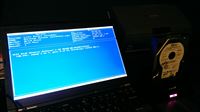 So you’re getting rid of some old hard drives, but you’re nervous about just throwing them in the trash. If the idea of creating a USB boot key doesn’t frighten you, then you should know about
  There are a couple stores around here that push their extended warranties ridiculously hard. Sports Authority is probably one of the worst. No matter how I say “No”, I continue to get the guilt trip throughout the entire transaction. It almost makes me want to explain why I never buy it, but I question whether they’d understand the math. Here’s how it works out:
 A few weeks back, KenC mentioned Dan Carlin’s Hardcore History podcast and I listened to one (three hour) episode. It’s incredible! He takes a small slice of history and dives really deeply into it. The story he weaves is deep and really helps you understand all of the complicated forces that combined to shape the event.
CryptoLocker Virus Protection
How do you protect yourself from this? Well obviously you need to be careful when you’re opening attachments in your email, but in the end, it’s pretty much impossible to guarantee that you’ll never get a virus on your computer.
So if you think about this, it’s a lot like the situation where your hard drive fails. All of a sudden, you no longer have access to all of the data on your computer. The only difference is that now the odds of that happening to you have increased (and they were already huge to begin with since all hard drives fail eventually and many of them fail after just a few years.)
The answer to both problems is the same: BACK UP YOUR DATA. If we somehow get CryptoLocker in my house, and even if it encrypts every hard drive we have, I won’t lose any of my data. It’s all backed up in the cloud and the cloud backup has versions so even if it somehow overwrites my backups with encrypted data, I can just sync back to the point before the virus and get my data back.
What would happen if you got the virus right now? The good news is that if you don’t have a plan, you can be quite safe for just $50/year. I’m not getting paid by Crashplan.com, but I love their service and highly recommend it. Set it up on your computer and then forget about it. Your data gets backed up all the time without any intervention from you. Then you can rest easy and know that your data is safe!
It’s not a matter of if your hard drive will stop working or it gets hit by a virus like CryptoLocker, it’s a matter of when. Be prepared.