 My rationale for keeping this daily blog has changed over time, but right now, the main motivation is to record major events in my life and talk about things that interest me in between. We recently had one of those major life events that we’ll remember forever, and even though it’s a pretty dramatic story, I do want to capture some of my thoughts about it. Everybody processes this kind of thing in a different way, and I find a lot of value in writing it down.
The short version is that while we were sitting in church, my brother-in-law, sitting right next to us, was a victim of cardiac arrest. Our parking lot quickly hosted four or five ambulance/rapid response vehicles, a fire truck and at least one police car. Church members started CPR, EMTs were on the scene just a minute or two after the 911 call was placed, and a comibination of CPR and an AED not only saved his life but also prevented any brain damage. I’m intentionally leaving out a lot of details because, while this event happened in public, it’s not something that you would choose to show to a church full of people. But I do want to write my personal experience going through this as a family member, husband and father.
We say that we have “crazy” and “stressful” days when really everything is usually within a pretty normal set of boundaries. A big part of the battle when confronted with a truly life-threatening event is how quickly you can jump outside of those normal boundaries, realize what’s happening and take action. Our church members excelled at this. Before Tyla could finish telling me to get help, I took off running to grab a landline because I knew somebody else would call from a cell phone. By the time I came back on the phone with 911, another member was already asking me for the address and I saw others starting to call too. That first call had to have been initiated in less than 10 seconds and it played a key role in saving his life.
A couple members were already tending to the situation, checking his pulse, getting him in the rescue position, etc so my next thought was getting Elijah out of there. He’s too young to understand a lot of things, but he didn’t need to see any of what was happening. Thankfully, somebody else had already grabbed him and taken him away. He was pretty oblivious to the next 15-20 minutes of events and I found him later playing on the playground (under the watchful eye of some parents.) Thankfully some other people shuttled Tyla and Megan out of the immediate area too. Obviously if I was the only one there and responsible for medical care, I wouldn’t have had the luxury of worrying quite as much about my family, but in retrospect, I’m so thankful that they were spared a lot of the events that happened in that area.
The first paramedics made excellent time since they are less than a mile away, and seeing them brought a huge feeling of relief. I’ve been through a number of CPR courses including a multi-month outdoor first aid class, so I’ve seen all these steps before, but it’s so much easier to take instructions from a pro than to be thinking for yourself under that stress.
I use the word “medic” in the title loosely. I participated by helping to move him out of the pew, praying, and answering a few questions. The outcome would likely have been exactly as good if I wasn’t there. But not participating in the direct medical care was also unsettling. It was a surreal experience as I stood there pretty sure that I was watching my brother-in-law die wondering what I could possibly do to help more.
The story has a happy ending. We offer endless prayers of thanks for letting it happen the way it did. So many small changes to do the day would have created yet another fatality. The survival rates are abysmal, but this was a success story.
It was really odd going through this with a young child. I wanted to shield him from as much of it as possible, so even as we were driving to the hospital wondering what the outcome would be, I had my happy face on trying to keep Elijah entertained. How do you process the possible death of your brother-in-law while you’re feeding bunny snacks to your kid and queueing up his favorite music? While it was odd to have that mismatch, it was also really helpful to see Elijah’s smiling face as he bounced around the hospital. He kept the mood lighter than it might otherwise have been.
We were all back in church the next Sunday. I knew it would be weird, but I didn’t realize how hard it would be. As we got to the first Bible reading (the point where it happened the previous week), it was all I could do to stay in my seat. I have no idea what Pastor was saying because all I could see whether my eyes were open or closed was the look on my brother-in-laws face when he slumped over. It’s burned into my skull. It got easier as the service went on, but I’m sure it will be tough for many Sundays to come.
None of us know when God will end the clock on our existance, but we’re thankful that our family is still in tact with relatively few after-effects. All of these emotions that we have are tempered by knowing that the story has a happy ending. We’ll probably never understand why this happened in our lives, but “we know that in all things God works for the good of those who love him.” (Romans 8:28)

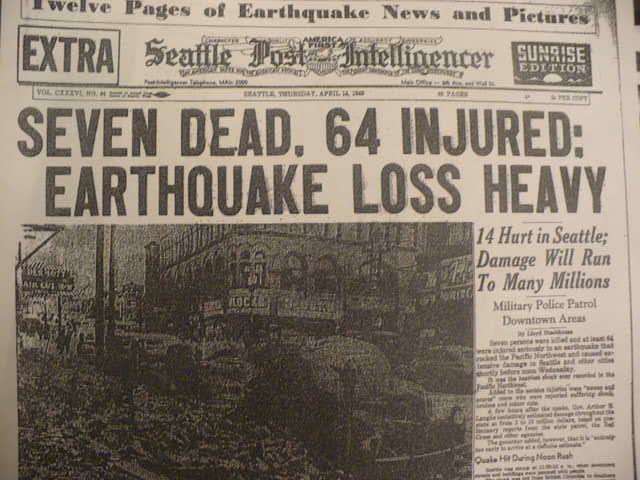 Earthquake preparedness kits are selling like hot cakes and it’s in the news. Seattle is going to be obliterated by an earthquake! The end is near! RUN FOR YOUR LIVES!


Welcome to Bremerton
I apologize in advance for those who didn’t attend Peace Lutheran Church in Granger, IN in the 80s and 90s. You’ll probably just want to skip this post. Even if I explained it all you’d probably just say, “Meh.” Then again… maybe you say that after all my posts?
On Sunday, July 26, Tyla and I headed over to Bremerton for church. It’s a 90 minute drive if you head around the south end of the sound and skip the ferries so it’s quite a hike for a church service, but this one was special. Chris Hintz was getting installed at Christ the King as their new principal! Pastor and Mrs. Hintz were there too and Pastor even gave the sermon.
It was so much fun to catch up with them again after all these years! I haven’t seen them all since Chris and Nikki’s wedding in the summer of 2005 down in Arizona. After spending so many days together growing up, our lives took us in opposite directions.
It’s pretty crazy to think that our tiny little grade school now has three alumni (Chris, Ken and me) who graduated within five years of each other living out in the Pacific Northwest! Hopefully we’ll all be able to get together soon.
But the craziness doesn’t end there… the Christ the King church building is the same design as Peace in Granger! It’s not brick for brick the same, but it’s probably 80-90% similar. There’s no mistaking that the two buildings came from the same set of plans. Pastor Hintz said that the WELS had a set of three designs that they were recommending for new buildings around that time and this was the biggest of the three. It was so weird to be sitting in church in Washington with the Hintz family watching Pastor Hintz give a sermon!
Chris and I played together for three years on the Michigan Lutheran High School baseball team. We’ll be playing against each other in a few weeks at the area church softball tournament. I tried to snag him for our team but his own church wisely scooped him up first. I hope that we get to play against each other! It would be awesome to be on the same field as him again.
So welcome to the Pacific Northwest Chris, Nikki and family. We’re excited to have you out here and looking forward to getting together with you soon.