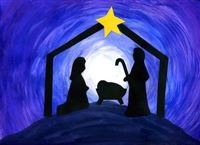
 It’s somewhat of a tradition around here to post our Christmas card along with the text of Jesus’s birth from Luke chapter 2. This year I decided to do it a bit differently. You saw the Christmas card yesterday, and today I thought I’d ramble for a bit about Christmas.
There are lots of phrases bandied about this time of year like “Jesus is the reason for the season” and “Don’t forget the true meaning of Christmas.” Christians know exactly what those phrases mean, but there are probably quite a few people out there for whom those phrases are nothing more than cryptic codes. So today I’ll explain why I celebrate Christmas.
The short explanation is that Christmas is the day that Jesus, the son of God, was born on earth. While the almighty God coming to earth in human form is quite the event in it’s own right, there’s so much more to it than that.
Let’s start back at the beginning. When God created the world, He created Adam and Eve as perfect human beings. They sinned, rebelling against God’s perfection and forever changed the course of history. God demands perfection. Do you want to get to heaven? Great, all you have to do is be perfect every single day of your life. If you deviate from perfection even a single time, that’s it, you’re going to hell. And I’ll give you a hint, no one has ever done that. Adam and Eve sinned and from then on, every one of us were born sinful. God’s rules are simple. Heaven is for perfection, hell and eternal death is for everything else. That’s a pretty grim judgment for us.
When God confronted Adam and Eve about their sin, he explained those consequences to them but then promised to send his son to earth. His son would live a perfect life, be killed as the payment for all of our sins, and then rise again to declare his victory over death, sin and hell. The entire Old Testament (roughly the first two thirds of the Bible) teaches us about God’s law, showing us the many ways in which we have fallen short of His perfection, and it continues the promise that God’s son would come to save us.
This is where the story of Christmas comes into play. God placed his Son, the baby Jesus, in Mary’s womb and nine months later, in a stable full of animals, the son of God was born as a human being. His name, of course, was Jesus, and in addition to being fully human, he was also God. On the night he was born, the star appeared, the shepherds saw it, and your nativity scene came to life. So that’s pretty impressive. The all-knowing, all-powerful God is now here on earth in human form. But if the story ended there, we would all still be going to hell because we’re still sinful and sin equals death.
Thankfully, Jesus went on to do what none of us could do: he lived a perfect life. He was then crucified, and with his death, he paid the price for all of our sins. Three days later, he rose from the dead and about a month later, he ascended back into heaven.
We’re all still here on earth, sinning our lives away no matter how hard we try. But because of Jesus, we have hope. Because I believe that Jesus died for my sins, I know that when I die, I’ll go to heaven because God the Father accepts Jesus’s death as payment for my sins. If God actually did ask me why he should let me into heaven, my answer would be simple: “I believe that Jesus’s death paid the price for my sins.” There’s nothing that I can do to improve on that. No amount of trying to be good or making up for things I did wrong can get me into heaven. I’ll be there solely because when God looks at me, he sees me through the death and resurrection of Jesus. It’s a free gift for anyone who believes.
Knowing all that, is it any wonder why I celebrate Christmas? Yes, I enjoy the Christmas lights, Bing Crosby singing about a White Christmas, and stuffing my face with food on Christmas Day, but it all comes in a distant second place to celebrating the birth of my Savior.
P.S. I’m turning off comments on this post because I’m not looking to start a public discussion, but if you want to know more about what I believe, you can of course ask me or check out this website from our church group.

 Congrats to Logan! He came from the third seed in the playoffs to win it all. Dad and I posted the two of the lowest scores of the week in the “battle” for third. Dad claimed that spot. Jim lost the last six games of the regular season and then won the two games of the playoffs to land in fifth and Luke won the 7th place game. Here are the final standings:




 In addition to the
  The top four teams faced off this week and only two survived. Logan put the smack down on me and Andy beat Dad. There were a lot of high scores around the league and consolation bracket was no exception. Tim put up the second most points in the league and beat Austin while Jim beat Luke. Next week is the championship! Logan and Andy will battle for supremacy.
 I posted a while back about building an autonomous multicopter. As I read more about it, I realized that’s a bit of a big leap to take. First I should probably be able to fly it. And it turns out that multicopters aren’t the easiest thing in the world to fly. It’s probably easier to start with a plane. But if you’re going to start flying an RC plane, you probably want to either have a friend who can help you learn or get a simulator. I chose the simulator route, and boy, is it a good thing that I did!
 I dare say that I’ve gotten pretty good in the burger department over the years, but last week I tried a new recipe and it turned out really well. The secret was cooking bacon and then using some of the leftover fat to cook chopped onions which were then incorporated into the meat. YUM! As part of our semi-low carb diet, we ate these without buns.
 Tyla and I have been trying to mix in some low carb meals. I hate looking for low carb recipes because it seems like people think low carb equals vegetarian. Give me some meat! I ran across “
Merry Christmas
There are lots of phrases bandied about this time of year like “Jesus is the reason for the season” and “Don’t forget the true meaning of Christmas.” Christians know exactly what those phrases mean, but there are probably quite a few people out there for whom those phrases are nothing more than cryptic codes. So today I’ll explain why I celebrate Christmas.
The short explanation is that Christmas is the day that Jesus, the son of God, was born on earth. While the almighty God coming to earth in human form is quite the event in it’s own right, there’s so much more to it than that.
Let’s start back at the beginning. When God created the world, He created Adam and Eve as perfect human beings. They sinned, rebelling against God’s perfection and forever changed the course of history. God demands perfection. Do you want to get to heaven? Great, all you have to do is be perfect every single day of your life. If you deviate from perfection even a single time, that’s it, you’re going to hell. And I’ll give you a hint, no one has ever done that. Adam and Eve sinned and from then on, every one of us were born sinful. God’s rules are simple. Heaven is for perfection, hell and eternal death is for everything else. That’s a pretty grim judgment for us.
When God confronted Adam and Eve about their sin, he explained those consequences to them but then promised to send his son to earth. His son would live a perfect life, be killed as the payment for all of our sins, and then rise again to declare his victory over death, sin and hell. The entire Old Testament (roughly the first two thirds of the Bible) teaches us about God’s law, showing us the many ways in which we have fallen short of His perfection, and it continues the promise that God’s son would come to save us.
This is where the story of Christmas comes into play. God placed his Son, the baby Jesus, in Mary’s womb and nine months later, in a stable full of animals, the son of God was born as a human being. His name, of course, was Jesus, and in addition to being fully human, he was also God. On the night he was born, the star appeared, the shepherds saw it, and your nativity scene came to life. So that’s pretty impressive. The all-knowing, all-powerful God is now here on earth in human form. But if the story ended there, we would all still be going to hell because we’re still sinful and sin equals death.
Thankfully, Jesus went on to do what none of us could do: he lived a perfect life. He was then crucified, and with his death, he paid the price for all of our sins. Three days later, he rose from the dead and about a month later, he ascended back into heaven.
We’re all still here on earth, sinning our lives away no matter how hard we try. But because of Jesus, we have hope. Because I believe that Jesus died for my sins, I know that when I die, I’ll go to heaven because God the Father accepts Jesus’s death as payment for my sins. If God actually did ask me why he should let me into heaven, my answer would be simple: “I believe that Jesus’s death paid the price for my sins.” There’s nothing that I can do to improve on that. No amount of trying to be good or making up for things I did wrong can get me into heaven. I’ll be there solely because when God looks at me, he sees me through the death and resurrection of Jesus. It’s a free gift for anyone who believes.
Knowing all that, is it any wonder why I celebrate Christmas? Yes, I enjoy the Christmas lights, Bing Crosby singing about a White Christmas, and stuffing my face with food on Christmas Day, but it all comes in a distant second place to celebrating the birth of my Savior.
P.S. I’m turning off comments on this post because I’m not looking to start a public discussion, but if you want to know more about what I believe, you can of course ask me or check out this website from our church group.